Rebuild the category
The co-founder frames Slide as renewed engineering and product innovation for the MSP channel. His prior Datto experience supplies context; the evaluation still needs product evidence.
Explore the campaign and the production system
Take the 90-second tour→
THE RECOVERY ECONOMY
When backup becomes business continuity, every minute—and every technician—matters.
BCDR engineering, translated for the MSP buying decision. Technical explainers, sales enablement and a repeatable content workflow, built by one producer.
06 STOPSTake the 90-second tour90-SECOND EXPLAINER / INDEPENDENT WORK SAMPLE
Two clocks. One better way forward.
A 90-second MSP-facing film translating Slide’s modern BCDR architecture and partner-first model into one clear story.
An order won't save.
Then two clocks start.
One for the client, waiting.
One for the technician, working.
Recovery often runs through inherited tools.
One console here. Another there.
The ticket, somewhere else.
What if backup was built for the MSP doing the work?
Slide was built for that MSP.
Your server backs up to a local Slide appliance, all-flash NVMe.
Encrypted in transit and at rest.
Every backup also replicates to Slide Cloud.
A recovery point can boot as a virtual machine, on the appliance or in the cloud.
It's still real work.
Pick the snapshot.
Choose local or cloud.
Set resources and networking.
Prove the application works, not just that it boots.
One interface.
And an open API for the rest of your stack.
Then there's what a spec sheet can't show.
You talk to engineers, directly.
Onboarding is hands-on.
Terms are month-to-month.
Because when a client is down, you get the call.
Validated.
The client is back at work.
Recovery is the product.
Partnership is the point.
SALES ENABLEMENT / SAMPLE PROSPECT SELL SHEET
 Preview the PDF
MSP OWNERS + TECHNICAL TEAMS
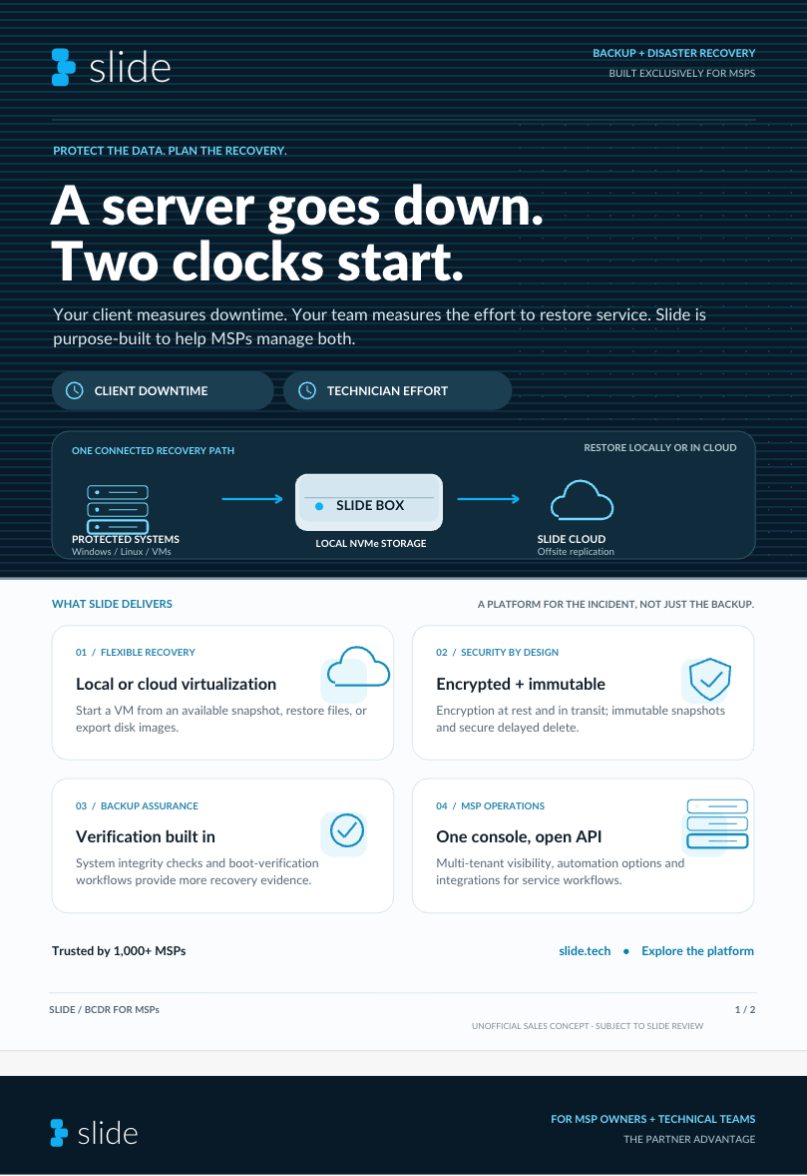
A sample covering the recovery path, platform capabilities and partner model, designed for an MSP prospect follow-up.
Independent portfolio sample · PDF · 2 pages
THE FOUNDERS’ THESIS / THE MSP BUYING DECISION
Slide’s founders connect a rebuilt BCDR stack to a familiar MSP problem: the work around backup can consume the time and trust it is supposed to protect. Technical content should make that proposition testable.
Austin McChord / CO-FOUNDER
The co-founder frames Slide as renewed engineering and product innovation for the MSP channel. His prior Datto experience supplies context; the evaluation still needs product evidence.
Michael Fass / CO-FOUNDER
The co-founder connects modern BCDR to MSP success and hands-on work with partners. The story extends from architecture to the daily experience of deploying, supporting and paying for it.
Modern architecture / THE PROMISE
A backup exists, but recovery competes for storage, compute and technician attention.
MSP owner / THE DECISION
Connect recovery capability to continuity commitments and the staff time required to deliver them.
Proof to produce: A recorded local and cloud restore exercise with workload, configuration, elapsed time and acceptance checks.
Architecture explainer + recovery-test worksheet
Test a representative recovery
IThe failure
The order queue has stopped. The technician is on the clock. The client wants to know when the business can work again.
THE INTERRUPTION
A client’s order-processing server fails during the working day. Staff cannot process orders.
scenario · your inputsRelated variables. Different costs. Measure both.
Explain the distance between “we have a backup” and “our people can work.” Recovery-point objectives, recovery-time objectives and application acceptance belong in the same story.
IIThe architecture
Start with what the system actually does. Translate the operator’s next action. Then explain why the business should care.
01 / Technical reality
Slide documents restoring a backup as a virtual machine locally or in its cloud.
02 / Operator consequence
Select an available snapshot location, then configure VM resources and networking.
03 / Business implication
A continuity option while a production system is repaired, subject to workload and application validation.
ILLUSTRATIVETHE TECHNICAL FIELD GUIDE / RESEARCH EDITION 02
Four engineering stories, written for the person who has to make the next decision. Inspect the technical brief, its validation handoff and the business translation.
NVMe gives the conversation a physical foundation. Application acceptance gives it an ending.
During a recovery, storage, compute and networking all matter. Slide’s B1 specification combines U.2 NVMe storage with an EPYC processor and 512 GB of memory. Its R1 and B1 models also expose IPMI for management outside the host operating system. Those are useful engineering facts; they do not establish how many applications a particular client can recover at once.
Separate continuity from rebuilding. Local or cloud virtualization can provide a place to run a recovered workload while replacement hardware is prepared. Bare metal restore writes the system back to physical disks. Slide’s guided BMR connects to a snapshot and helps plan disk mappings; Rescuezilla provides an alternate manual path using an exported disk image.
The current BMR guide recommends destination disks at least as large as the originals for predictable recovery, while allowing assessment of some smaller-disk layouts. A safe restore plan still depends on the actual layout. Identify every destination disk before proceeding: BMR overwrites its contents. Keep the recovered system isolated until its identity, networking and applications have been checked.
THE VALIDATION HANDOFF
Record the workload, snapshot, VM resources, network conditions and application acceptance test. Publish a recovery duration only with those conditions attached.
ILLUSTRATIVESAME FACTS. A DIFFERENT READER.
A storage specification can start a recovery conversation. It cannot finish one. Ask what must run, where it will run and how you will know the business can work again. Then test the plan. Technician effort and client downtime deserve separate measurements.
LinkedIn companion draftAI can speed the draft. Evidence decides what ships.
IIIThe editorial gate
A release gate for AI-assisted drafts: nine tempting claims, each held against its source and rewritten to what the source supports.
ORIGINAL DRAFT
UNVERIFIEDSlide makes ransomware attacks impossible.
REVISED LINE
Slide documents encrypted backups and secure delayed delete as layers of data protection. Plan and test recovery alongside endpoint security.
Qualified revision ready for technical review
IVRecovery economics
Two clocks. Two ledgers. Change the assumptions, then separate the MSP’s labor cost from the client’s operational exposure.
A minus B, whole dollars. Positive means B costs less. Client exposure is not MSP margin. Labor = hours × loaded cost; exposure = downtime hours × downtime cost. Platform fees and taxes are excluded.
VThe content engine
Keep the product fact stable. Change the audience, the purpose, the format and the voice. Every output carries its claims, its sources and its review status.
Technical one-sheet / v1.1 / Documentation voice
For Backup Technician. Evaluate recovery, agent rollout and automation through a testable runbook.
SLIDE_POC_TECHNICIAN_LOCAL-RECOVERY_TECHNICAL-ONE-SHEET_v1.1
MULTIMEDIA TREATMENT / 45 SECONDS
00:00–00:10 / VOICEOVER
“A server fails. Your client stops working. Your technician starts working. Those are two different clocks.”
Screen direction: Orders pause. One server goes dark. Two clocks appear: business interruption and technician effort.
Motion / transition: Freeze the order line; draw two independent clock arcs.
scenario · your inputsONE STORY / FIVE SEGMENTS / ONE MEASUREMENT PLAN
The film brief is the starting asset. Each adaptation targets one segment at one funnel stage, carries the same source-verified claims, and gets a KPI that Marketing can track in the CRM.
Awareness → engagement
MSP landing-page hero
Engaged video views + qualified CTA clicks
Discovery → distribution
30-second social cut
Engaged video views
Consideration → evaluation
MSP owner email
Qualified CTA clicks + asset-influenced meetings
Technical confidence → evaluation
Technician explainer
Technical evaluation starts
Sales activation → next conversation
AE / partner-manager follow-up
Sales asset adoption
Proposed distribution and suggested measurements. No campaign results, attribution or causal lift are claimed.
Awareness → engagement
Audience: MSP owners evaluating BCDR
Lead with the two-clock problem, then connect the architecture to one scoped evaluation CTA.
recovery · Restore workflowsnvme · Slide productsSUGGESTED KPI
Engaged video views + qualified CTA clicks
Agree a viewing threshold and define a qualified click before reporting either.
Discovery → distribution
Audience: MSP owners and technical practitioners
Cut one tension and one documented capability from the core story. Point the reader to the full explanation.
recovery · Restore workflowsSUGGESTED KPI
Engaged video views
Separate paid and organic delivery; keep the platform’s view definition visible.
Consideration → evaluation
Audience: Known owner contacts considering a change
Translate the story into an owner question about support, technician capacity and the current agreement.
support · Slide productspartner-terms · Slide’s current MSP partner proposition +1SUGGESTED KPI
Qualified CTA clicks + asset-influenced meetings
Agree qualification and a CRM lookback window. A recorded touch does not establish that the asset caused a meeting.
Technical confidence → evaluation
Audience: NOC leads and backup technicians
Expand the architecture scene into prerequisites, a representative restore test and application acceptance checks.
recovery · Restore workflowsverification · Agent backup process +1api-deployment · Slide FAQ — API, agent deployment and deletion behaviorSUGGESTED KPI
Technical evaluation starts
Define an evaluation start with Sales and Product; distinguish an asset view from a scheduled test.
Sales activation → next conversation
Audience: Account teams and prospective MSP partners
Give the account team a current clip, source-linked proof point and a question tailored to the partner’s next decision.
recovery · Restore workflowspartner-terms · Slide’s current MSP partner proposition +1SUGGESTED KPI
Sales asset adoption
Review use in actual follow-ups with Sales. Downloads alone are not evidence of adoption or pipeline impact.
Agree segmentation, qualification rules and the CRM attribution window with Marketing and RevOps before reporting. An asset touch can be recorded without proving that it caused a meeting.
FROM POSITIONING TO PARTNER ENABLEMENT
A proposed content sequence for evaluation, deployment, recovery and expansion. Each asset answers a real partner question; each measure describes what to track after release.
01 / Evaluate
An interactive NVMe-to-recovery explainer and a worksheet for a representative workload.
For: Owner + senior administrator
Measure: Evaluations that reach a documented recovery test
nvme · Slide productsrecovery · Restore workflows02 / Deploy
A versioned agent-deployment checklist, API walkthrough and PSA mapping guide, reviewed with Engineering.
For: NOC lead + backup technician
Measure: Time to first verified backup; setup-related tickets
api-deployment · Slide FAQ — API, agent deployment and deletion behaviorapi · Slide API contract and referencepsa · ConnectWise PSA integration03 / Recover
Short local-VM, cloud-recovery and file-restore guides with acceptance checks and escalation notes.
For: Frontline technician + service lead
Measure: Successful rehearsals; handoffs and repeat questions
recovery · Restore workflowsverification · Agent backup process +1support · Slide products04 / Expand
An owner brief, scoped customer story and account-manager objection card with the same evidence chain.
For: MSP owner + account manager
Measure: Asset use in partner reviews; scoped migration decisions
partner-terms · Slide’s current MSP partner proposition +1tr-migration · TR Computer Sales — published partner case studyIngest documentation and engineer interviews → draft the guide, diagram and storyboard → validate procedures in a test environment → get technical sign-off → version and distribute → use partner questions to choose the next update. This POC demonstrates the content and review structure; live script execution and product approval remain production steps.
THE PRODUCTION WORKFLOW / HUMAN TECHNICAL APPROVAL
A proposed workflow for producing with AI and reviewing with people. I can own the research, writing, light design and build while working directly with Engineering, Product and Sales.
01
Read current docs and interview the engineer behind the behavior. Record the source and inspection date.
Inspect the sources ↗02
Write the scoped claim and its boundary. Keep documented facts, vendor statements and scenarios distinct.
Open the claim register ↗03
Keep the evidence fixed while changing the explanation, format and next action for the reader.
Try the content studio ↗04
Engineering checks behavior. Product checks positioning. I own the edit; AI does not grant technical approval.
Inspect the editorial gate ↗05
Ship a named version with its claims, citations and review status, so teams can find the current asset.
Export a source-linked draft ↗06
Agree the audience and measurement with Marketing and Sales. Use questions and results to choose the next update.
Read the distribution plan ↗Consistent positioning across channels. Technical boundaries that stay visible. Reusable material with a version history, so a product change can become a traceable update.
AI helps organize research, draft alternatives and prepare adaptations. I check the sources, revise the work and maintain the asset record. Engineers and Product retain technical approval; this POC’s drafts remain marked for review.
One partner thesis. Seven useful assets.
THE PRODUCTION ARCHIVE
The technical samples and founder campaign brief connect evidence to a partner decision. Open an asset, inspect its sources, then copy or export the draft.
Technical one-sheet / v1.1
For Backup Technician. Get the Windows agent and SentinelOne working together on the first rollout.
SLIDE_POC_TECHNICIAN_WINDOWS-SENTINELONE_TECHNICAL-ONE-SHEET_v1.1
Customer-facing explainer / v1.1
For End-Customer Business Owner. Explain encryption to the person who signs off on risk, in plain terms.
SLIDE_POC_END-CUSTOMER_ENCRYPTION_CUSTOMER-FACING-EXPLAINER_v1.1
LinkedIn post / v1.1
For MSP Owner. Start a vendor conversation with commercial terms, and keep the vendor's own words attributed.
SLIDE_POC_MSP-OWNER_TERMS_LINKEDIN-POST_v1.1
Sales enablement email / v1.1
For Service Delivery / NOC Lead. Help a NOC lead decide whether the PSA integration fits, with the setup work visible up front.
SLIDE_POC_NOC-LEAD_CONNECTWISE_SALES-ENABLEMENT-EMAIL_v1.1
45-second video storyboard / v1.1
For MSP Owner. Show an MSP owner what a boot check proves and where the next question starts.
SLIDE_POC_MSP-OWNER_BOOT-VERIFICATION_45-SECOND-VIDEO-STORYBOARD_v1.1
Competitive objection-handling card / v1.1
For MSP Sales / Account Manager. Handle a continuity objection without an unsupported competitor comparison.
SLIDE_POC_ACCOUNT-MANAGER_RECOVERY_OBJECTION-CARD_v1.1
Founder-positioning campaign brief / v1.1
For MSP Owner. Translate the founders’ partner thesis into a scoped MSP evaluation campaign.
SLIDE_POC_OWNER_FOUNDER-POSITIONING_CAMPAIGN-BRIEF_v1.1
THE PRODUCER
The role asks for someone half technically obsessed, half content creator. Each row below points to evidence on this page, with Engineering, Product, Sales and Marketing involved where their judgment matters.
| Capability | Evidence | Conventionally |
|---|---|---|
| Research | 20 primary sources, each with an inspection date, behind 21 ledger claims. Open the sources | A product marketer and a technical reviewer |
| Technical writing | Four field guides and 7 archive assets, every line traced to the ledger. Read a field guide | A technical writer working from SME interviews |
| Video / motion | The original hero film, a 45-second storyboard and a separate 90-second explainer brief. Step the storyboard | A video producer and a motion designer |
| Design | One type scale, one accent colour and one card system, with a print edition. See the two clocks | A brand designer |
| Front-end | An economics lab, a release gate and an asset studio, operable by keyboard and covered by tests. Use the studio | A front-end engineer |
| Measurement | Five channel adaptations, each mapped to a segment, a funnel stage and a suggested KPI, with CRM attribution rules agreed before reporting. See the measurement plan | A marketing operations or analytics lead |
| Editorial governance | A status legend, a claim ledger and a release gate: 9 drafts audited, none shipped as written. Audit a claim | An editor and a technical sign-off cycle |
Researched, written, designed and built by one person.
THE EVIDENCE DESK · UPDATED OCTOBER 27, 2026
Slide lists NVMe SSD storage for its Z2, F1, R1 and B1 appliances.
Boundary A storage specification is not a measured application recovery time.
Slide documents B1 specifications of up to 150 TB NVMe, 512 GB RAM and an EPYC 7543P, with IPMI on R1 and B1.
Boundary Specifications do not establish how many workloads a client can recover at once.
Slide documents restoring a backup as a virtual machine locally or in its cloud.
Boundary Choose an available snapshot location and configure resources and networking. Validate application behavior before resuming service.
Slide documents guided bare metal restore and a manual Image Export path using Rescuezilla.
Boundary Destination disk contents are overwritten. Same-size or larger disks are recommended.
Slide documents backup integrity checks and boot verification to a login screen.
Boundary Boot verification is one check, not application acceptance. The verification environment is not identical to production.
Slide documents alert-to-ticket creation and bidirectional ConnectWise PSA status synchronization.
Boundary Needs a dedicated API member, a service board, a matching resolved status and reviewed client mapping. Closing a ticket does not fix its underlying issue.
Slide documents ZFS native encryption, encryption at rest and in transit, and secure delayed delete.
Boundary Encryption protects confidentiality; delayed delete addresses deletion risk. Neither is a ransomware prevention control.
Slide documents replication of snapshots to its cloud after local backup creation.
Boundary Offsite availability depends on replication completion; consider data size and network capacity.
Slide documents a boot-start Windows change-tracking driver and signer-based compatibility guidance. Its SentinelOne guide lists path exclusions, a signer exclusion and a Snapshots setting.
Boundary Manual driver or registry changes need Slide Support. Exclusion scope is a decision for the security owner, and the SentinelOne guide changes with releases.
Windows agent and driver behaviorSentinelOne compatibility guidance
Slide documents the Linux agent's mooCBT/DKMS module and root-owned 0700 quiescence scripts with PRE and POST handling.
Boundary A completed backup does not establish that the application quiesced.
Linux agent platform and quiescenceDatabase quiescence examples
Slide documents a Bearer-token API with offset pagination, a shared request pool with refill, and 429 Retry-After handling.
Boundary The page's example is read-only and was not run against a partner account.
Slide describes a direct-to-tech support model and 24/7 disaster recovery support.
Boundary Vendor description, not a measured response-time commitment.
slide.tech describes month-to-month subscriptions with no long-term commitment, unlimited agents included and direct-to-engineer technical support.
Boundary Vendor marketing. Current terms live in the agreement, not on the home page.
Two editable hypothetical workflows illustrate labor cost and client downtime exposure.
Boundary User assumptions only. No Slide benchmark, margin estimate or promised savings.
Your inputs. No source.
Slide prevents every ransomware attack.
Boundary No inspected source says this. Retained only as a rejected draft.
Slide’s founders position a rebuilt BCDR platform and MSP partnership as a response to channel frustration.
Boundary Synthesis of founder statements. Technician time, margin protection and customer trust are content angles to validate, not measured outcomes.
Founders on the MSP opportunity — Series B announcementFounder-led partner enablement — 2026 roadshow
Slide advertises month-to-month contracts and hands-on onboarding for MSP partners.
Boundary Public commercial positioning as of October 27, 2026. Confirm pricing, hardware obligations and current agreement terms for each evaluation.
Slide’s FAQ documents an API covering almost everything available in the Console and links silent agent installation guidance.
Boundary Almost everything is not every operation. Validate permissions, prerequisites, current endpoints and agent switches before publishing runnable instructions.
Slide describes encryption at rest and in transit as included by default without an additional encryption tier.
Boundary Included encryption does not substantiate zero computational or storage overhead. Validate behavior against a defined workload.
Slide’s FAQ says deleting an agent removes local snapshots immediately and delays remote deletion for 30 days.
Boundary Remote retention is a scoped deletion safeguard. It does not establish a physically air-gapped archive or unconditional recovery promise.
Slide reports that TR Computer Sales began replacing roughly 200 BCDR devices after a successful trial on a Server 2025 domain controller.
Boundary A vendor-published customer account. Migration is described as in progress; the story does not establish a fleet-wide speed or savings benchmark.
Under “Always MSP-First”: month-to-month subscriptions, no long-term commitments, unlimited agents included and direct-to-engineer technical support. Vendor marketing; current terms live in the agreement.
Lists NVMe storage across Z2, F1, R1 and B1 and describes cloud replication. Its FAQ describes a month-to-month model and a direct-to-tech support model with 24/7 disaster recovery support. Vendor marketing, not a recovery-time commitment.
Lists B1 with an EPYC 7543P, up to 150 TB NVMe and 512 GB RAM, and IPMI on R1 and B1. Specifications do not establish workload recovery performance.
Documents local and cloud virtualization, file restore and image export. VM configuration includes snapshot, location, CPU, memory and networking; snapshot availability constrains location.
Distinguishes guided Slide BMR from manual Image Export/Rescuezilla. Recommends same-size or larger disks while allowing assessment of some smaller layouts. Destination contents are overwritten.
Documents file-system verification and cloud replication after snapshot creation. Replication duration depends on data size and network speed.
Boot verification tests that the system can boot to a login screen; a failed attempt attaches a screenshot. Service verification can fire after a successful boot. The verification environment is not identical to production, so a pass does not prove recoverability or that business applications work.
Describes ZFS native encryption, encryption at rest and in transit on the local appliance and in Slide Cloud, and secure delayed delete. The page does not mention ransomware prevention or a compliance outcome.
Documents alert-to-ticket creation, resolved alerts moving tickets to a configured status, and ticket status flowing back to the alert. Setup needs a dedicated API member and security role, a service board with existing defaults, a matching resolved status and reviewed client-to-company mapping. Only mapped clients create tickets.
Documents the boot-start SlideCBT.sys driver and its UpperFilters registration, background agent updates, and signer-based compatibility guidance (use signer identity, not a hash or version). Removing the driver without updating its registration can leave Windows unbootable; manual changes need Slide Support.
Lists path exclusions for the Slide program and data folders and the driver file, a signer-identity exclusion, and a step to turn off the SentinelOne Snapshots feature. Names a SentinelOne release with a fix for a Windows boot condition. Newer SentinelOne releases may change the UI, so use the current guide.
Documents mooCBT/DKMS, platform limitations, exact root/0700 script requirements, per-invocation timeout and PRE failure rollback. Backup completion does not establish successful application quiescence.
Provides database-specific examples to adapt and test. Examples do not establish recovery correctness for an untested application.
Inspected the linked api.slide.tech/openapi.json: GET /v1/device, Bearer authentication, pagination.next_offset, 50-request pool with 10/second refill, 429 Retry-After and eventual consistency. No partner API calls made.
Calls for technical translation, content reuse, multimedia production, asset versioning and AI-assisted production.
Fass connects MSP demand to modern BCDR and a partner focused on their success; McChord frames Slide as renewed category innovation. Their statements establish positioning, not independent performance evidence.
Fass describes working through real MSP environments together. Sessions combine practical discussion, demonstrations and hands-on API work. The announcement describes a month-to-month partner model.
Positions the platform around secure defaults, operational efficiency and partnership, including open APIs, onboarding, direct engineering support and month-to-month contracts.
Confirms API coverage of almost all Console actions and links silent-install guidance. Agent deletion removes local snapshots immediately and delays remote deletion for 30 days. Community AI projects are not officially supported products.
Slide reports a first-attempt backup of TR’s Server 2025 domain controller, a planned fleet migration of roughly 200 devices and broader restore participation. Vendor-published customer account; no timed recovery benchmark or independent replication.
THE PRODUCER / THE PRODUCTION RECORD
10+ years cybersecurity marketing. Nearly ten years at Mimecast.
High-stakes production under corporate accuracy and compliance standards—studio, executive, field, and event.
Strategy through shipped assets: narrative, enablement, interactive proof.
Executive production
Lexington studio
London field shoot
Office opening
Black Hat 2025
Ten years in the room — production archive, Mimecast 2015–2025. Studio, executive, field, and event production. No endorsement implied.
BEYOND THIS POC
DISCOVERY / GEO
A CMO-focused guide to AI-mediated discovery, answer visibility, attribution, and the changing path from research to shortlist.
CONTENT OPERATIONS / AI
A working framework for research, reusable content architecture, AI-assisted production, evidence controls, and distribution.